- Prerequisites and Tools for Setting Up a Shared Calendar
- Step-by-Step Setup of Your Shared Co-Parenting Calendar
- Communication Protocols and Flexibility in Using the Calendar
- Common Mistakes and Troubleshooting Shared Calendar Use
- Alternative Tools and Advanced Features for High-Conflict Situations
- Expected Results and Outcomes from Using a Shared Calendar
- Discover More Support for Healing After Infidelity
- Frequently Asked Questions
After infidelity, co-parenting often feels like navigating a minefield. Scheduling conflicts amplify emotional tension, and missed pickups or forgotten appointments erode trust further. A shared calendar offers a proven, neutral solution that reduces conflict and creates stability your children desperately need during this turbulent time.
Prerequisites and Tools for Setting Up a Shared Calendar
Before you create your shared calendar, you need the right foundation. Both co-parents must have digital devices with internet access. This sounds obvious, but consistent access matters more than fancy features.
Mutual willingness to cooperate is equally critical. If you’re not ready to engage respectfully, the calendar becomes another battleground. Consider a parallel parenting plan if cooperation feels impossible right now.
Choose a neutral platform accessible to both parties. Google Calendar and Apple Calendar work well for most co-parents because they offer real-time updates, easy access, and notification features. Google Calendar’s color-coding excels for visual learners, while Apple Calendar integrates smoothly across iOS devices.
Pro Tip: Never sync your co-parenting calendar with personal calendars. Keep them completely separate to protect privacy considerations in shared calendars, especially after infidelity when boundaries matter most.
You’ll also need baseline familiarity with calendar features:
- Creating and sharing events with another person
- Setting up recurring appointments
- Using color-coding to categorize entries
- Configuring notification preferences
- Granting appropriate access permissions
If technology intimidates you, spend 30 minutes exploring co-parenting communication tools before diving into setup. The investment saves countless hours of frustration later.
Step-by-Step Setup of Your Shared Co-Parenting Calendar
Now you’re ready to build your calendar. Follow these steps precisely to avoid common pitfalls.
1. Select and Configure Your Platform
Agree jointly on which calendar to use. Both parents need full editing rights, not just viewing access. Equal access prevents power imbalances and ensures accountability.
2. Map Custody Rotations as Recurring Events
Start with your custody schedule. Recurring custody rotations, holiday overrides, and children’s events form the backbone of effective co-parenting calendars. Enter your standard rotation first, then layer holidays and special occasions on top. This prevents conflicts before they start.
3. Add All Children’s Activities Immediately
Every school event, medical appointment, sports practice, and playdate goes on the calendar. No exceptions. When both parents see the full picture, conflicts shrink dramatically. Update entries within 24 hours of learning about them to maintain accuracy.
4. Implement Color-Coding for Visual Clarity
Color-coding custody days and events reduces scheduling disputes by 45%. Assign specific colors to each parent’s custody time, school events, medical appointments, and extracurricular activities. Your brain processes colors faster than text, making conflicts instantly visible.
Here’s an effective color scheme:
- Blue for Parent A’s custody days
- Green for Parent B’s custody days
- Red for school events and holidays
- Orange for medical appointments
- Purple for extracurricular activities
5. Configure Notification Settings
Set up automatic reminders for both parents 24 hours before events. Add a second reminder two hours before handoffs. These notifications keep everyone aligned without constant manual checking.
6. Establish Ground Rules
Write down your calendar protocols and share them. Include:
- How quickly you’ll enter new events
- When you’ll review the calendar together
- How to handle last-minute emergencies
- What level of detail event descriptions need
- Whether you’ll discuss changes before updating
Pro Tip: Treat the calendar like a legal document. Every entry should include exact times, locations, and any special instructions. Vague entries like “doctor appointment” cause unnecessary back-and-forth. Write “Dr. Smith pediatric checkup, 123 Main St, 3:00 PM, Parent A drops off.”
This systematic approach supports preparing kids for co-parenting by creating predictability they can count on. Children thrive when routines stay consistent, and your calendar makes that consistency visible to everyone. Understanding parallel parenting method benefits can further enhance your approach.
Communication Protocols and Flexibility in Using the Calendar
Your calendar only works if you follow clear communication rules. These protocols prevent the emotional landmines that derail co-parenting after betrayal.
Setting clear protocols for calendar updates transforms how you interact. Agree to enter events within 24 hours and use the calendar as your single source of scheduling truth. This eliminates the “he said, she said” arguments that poison cooperation.
Use the calendar as your primary scheduling tool. Period. No more text messages about pickups, no verbal agreements at handoffs, no email chains about next month’s dentist appointment. Everything goes on the calendar, or it doesn’t exist.
Last-minute changes happen. Decide now how you’ll handle them:
- Emergencies get immediate calendar updates plus a brief text notification
- Non-urgent changes require 48 hours notice when possible
- Refused changes need documented reasoning in the calendar notes
- Makeup time gets scheduled immediately, not “when it’s convenient”
Stick to facts in all calendar communications. “Soccer practice moved to Thursday 5 PM” works. “You never check the calendar and this is exactly why we have problems” destroys trust. Keep emotion out of calendar entries and notes.
Pro Tip: When conflicts arise, screenshot the calendar. Documentation protects both parents and provides clarity if you need mediation or legal intervention. Avoid common communication mistakes by staying factual and solution-focused.
Transparency rebuilds trust slowly. When you update the calendar promptly and honestly, you demonstrate reliability. When you honor scheduled times consistently, you prove you’re putting your children first. These small actions accumulate into credibility over months.
Flexibility within boundaries prevents rigidity. You can accommodate reasonable requests without abandoning structure. The calendar shows your baseline commitment, and occasional adjustments show your humanity.
Common Mistakes and Troubleshooting Shared Calendar Use
Even well-intentioned co-parents make predictable mistakes. Recognize these patterns early to course-correct before damage compounds.
Common co-parenting calendar mistakes increase conflicts up to 60%. Here’s what fails most often:
Delaying Event Entry
Waiting days or weeks to add appointments guarantees confusion. Your co-parent makes conflicting plans, then you both feel frustrated. Fix this by setting a phone reminder to update the calendar immediately after scheduling anything.
No Agreed Notification Protocols
When one parent expects texts about changes and the other assumes calendar updates suffice, someone always feels blindsided. Decide together which events warrant additional notification beyond calendar alerts.
Missing Handoff Details
Entries like “Dad’s weekend” tell you nothing about pickup time, location, or logistics. Always include specific times and addresses. “Friday 6 PM pickup at Mom’s house, 456 Oak Street, return Sunday 6 PM same location” leaves no room for misunderstanding.
Calendar Clutter
Adding every parent’s personal appointment dilutes the calendar’s purpose. Restrict entries to child-related matters only. Your dental cleaning doesn’t belong on the co-parenting calendar.
Verbal-Only Changes
Agreeing to swap weekends during a phone call, then forgetting to update the calendar, creates chaos. Verbal agreements don’t count until they’re documented. Make updating the calendar part of every scheduling conversation.
“The calendar is our shared truth. If it’s not there, it’s not happening. This simple rule saved us from countless arguments and misunderstandings during the hardest year of our lives.”
When mistakes happen, address them quickly. If your co-parent repeatedly fails to update on time, send a friendly reminder about your 24-hour agreement. If problems persist, revisit your ground rules together. Sometimes you need to adjust protocols based on real-world use.
Document recurring issues without accusation. “I’ve noticed handoff times have been unclear the past three weeks. Can we add more detail to calendar entries?” This approach solves problems without attacking character. Review co-parenting mistakes and fixes for additional troubleshooting strategies.
Alternative Tools and Advanced Features for High-Conflict Situations
Standard calendars work beautifully for cooperative co-parents. High-conflict situations demand specialized tools with built-in accountability.
Specialized co-parenting apps like OurFamilyWizard maintain records of edits and viewed events, providing documentation family courts often recommend. These platforms offer features beyond basic calendars:
- Tamper-proof message logs
- Expense tracking with receipt uploads
- Detailed audit trails showing who changed what and when
- Tone monitoring that flags hostile language
- Direct communication with mediators or attorneys
The tradeoff? Cost and complexity. OurFamilyWizard requires paid subscriptions, while Google Calendar and Apple Calendar remain free. Choose based on your specific needs.
| Feature | Google Calendar | Apple Calendar | OurFamilyWizard |
|---|---|---|---|
| Cost | Free | Free | $99-$199/year per parent |
| Audit Trail | Basic | Basic | Comprehensive |
| Court Acceptance | Moderate | Moderate | High |
| Ease of Use | Excellent | Excellent | Moderate |
| Message Monitoring | None | None | Yes |
| Expense Tracking | No | No | Yes |
Google Calendar suits low-conflict situations where trust exists and documentation needs stay minimal. Its color-coding and sharing features handle most co-parenting scenarios effectively.
Apple Calendar works best when both parents use iOS devices. The ecosystem integration makes updates seamless, though cross-platform sharing gets clunky.
OurFamilyWizard serves high-conflict cases where every interaction needs documentation. If you’re facing custody disputes or dealing with a hostile co-parent, the subscription cost pays for itself in reduced legal fees and clearer evidence.
Explore co-parenting apps and tools to compare additional options based on your specific circumstances. The right tool matches your conflict level, budget, and technology comfort.
Expected Results and Outcomes from Using a Shared Calendar
What can you realistically expect after implementing a shared calendar? The changes unfold gradually but measurably.
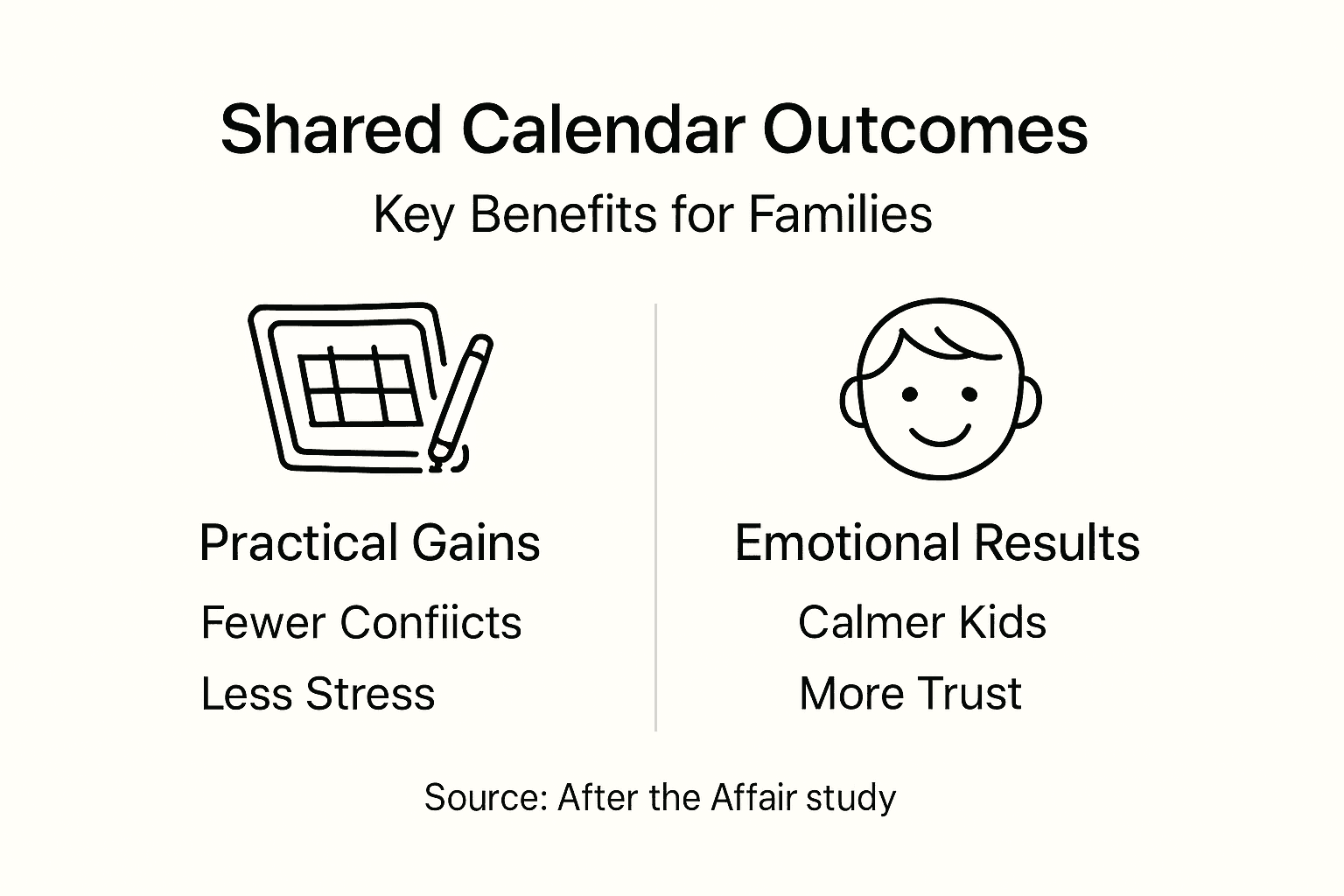
Most families see a 40% to 60% reduction in scheduling conflicts within three months. Those first weeks feel awkward as you adjust to new routines. By month two, the calendar becomes second nature. By month three, you wonder how you managed without it.
81% of families report improved cooperative co-parenting and children’s well-being due to clear, established schedules. This statistic reflects real families like yours who committed to transparency and consistency.

Emotional benefits emerge alongside practical ones. Reduced scheduling stress means fewer arguments. Fewer arguments mean less tension during handoffs. Less tension helps children feel safer and more secure.
Predictable routines anchor children during chaos. When your daughter knows exactly when she’ll see each parent, her anxiety drops. When your son can count on making soccer practice because it’s on the shared calendar, he trusts both parents more.
The calendar also supports post-infidelity recovery in unexpected ways. Following through on scheduled commitments demonstrates reliability. Respecting boundaries shows maturity. These small acts of integrity rebuild trust molecule by molecule.
You’re not trying to become best friends with your co-parent. You’re creating a business-like partnership focused on your children’s needs. The calendar makes that partnership visible and measurable. Explore daily co-parenting stability routines to maximize these benefits.
Expect setbacks. You’ll forget to update something. Your co-parent will miss a notification. Technology will glitch. These hiccups don’t mean failure. They mean you’re human. Adjust, apologize if needed, and keep moving forward.
Success looks like boring consistency. Weeks pass where nothing dramatic happens because everyone knows the plan. That’s the goal. Boring means stable, and stable means your children can heal.
Discover More Support for Healing After Infidelity
Shared calendars solve scheduling problems, but healing from infidelity requires deeper support. After the Affair offers resources designed specifically for your journey.
Our 7 Steps Infidelity Recovery Checklist provides structure when emotions overwhelm you. We’ve helped thousands of individuals and couples navigate the path from survival to growth. Practical co-parenting tools work best alongside emotional recovery strategies. Explore Relationship Growth After Infidelity to understand how stability creates space for healing. If you’re supporting others through this process, our guide on how to guide clients after infidelity offers evidence-based approaches.
Frequently Asked Questions
What is the best calendar app for co-parenting after infidelity?
The best app depends on your conflict level and needs. Google Calendar and Apple Calendar work well for low-conflict situations where basic sharing suffices. OurFamilyWizard serves high-conflict cases requiring documentation and court-approved accountability. Consider choosing co-parenting tools based on privacy needs, ease of use, and whether you anticipate legal proceedings.
How do I handle privacy concerns when sharing a calendar?
Avoid syncing shared co-parenting calendars with private personal calendars to maintain confidentiality and prevent unintentional data exposure. Create a separate calendar exclusively for co-parenting matters. Use platforms that allow controlled sharing where you grant specific access without exposing your entire schedule. This separation protects your privacy while maintaining necessary transparency with your co-parent.
What should I do if my co-parent doesn’t update the calendar promptly?
Agree on clear protocols requiring updates within 24 hours of learning about events. Communicate respectfully about the importance of calendar accuracy for your children’s stability, focusing on their needs rather than your frustration. If problems persist despite reminders, consider mediation or switching to apps with audit trails that document compliance. Review communication mistakes in co-parenting to address underlying issues.
Can a shared calendar improve my child’s emotional stability?
Consistent, predictable routines significantly reduce children’s anxiety and improve their sense of security during family transitions. 81% of families report improved child well-being linked to clear, consistent shared schedules. When children know exactly what to expect, they can focus on homework, friendships, and healing rather than worrying about logistics. Pair your calendar with daily co-parenting stability routines to maximize emotional benefits.
Recommended
- Parallel to Co-parenting Transition – After the Affair Series
- Co-Parenting Transition – After the Affair Series
- Parallel Parenting Plan – After the Affair Series
- Communication Transition Mistakes – After the Affair Series